

With advances in VoIP technology, traditional phone systems are quickly becoming a thing of the past. If you have legacy infrastructure, SIP calling is one way you can take advantage of advanced phone system features without leaving your investment behind.
SIP, which is short for Session Initiation Protocol, is the foundation behind many modern communication systems, including VoIP (Voice over Internet Protocol). It allows you to make voice and video calls, host conferences, and send messages over the internet. Whether you’re managing a small business or looking to upgrade your communication setup, SIP calling can save you money and help you communicate better.
In this guide, we’ll cover the essentials of SIP calling, including what it is, SIP calling vs VoIP, how it works, and everything else you need to consider before making the switch.
We’re located in Atlanta, but we serve the entire US with SIP calling services, including San Francisco, Miami, Boston, and Washington DC.
What Is SIP Calling?
SIP calling is a modern way to make phone calls over the internet rather than through traditional phone calls. SIP is a communication protocol that establishes, manages, and ends voice or video calls between two or more devices using SIP trunks (virtual connections) rather than telephone lines. It’s the backbone technology that allows VoIP systems to function. With SIP, businesses can make calls on smartphones, computers, and IP desk phones at a fraction of the cost of traditional service.
SIP calling makes your business phone system far more flexible. Beyond voice calling, SIP supports features like video conferencing, instant messaging, call forwarding, and voicemail to email. Employees can make SIP calls from anywhere they have an internet connection, enabling remote work. And because SIP calling uses a virtual connection, it allows for easy scaling as your communication needs grow.
SIP Phones
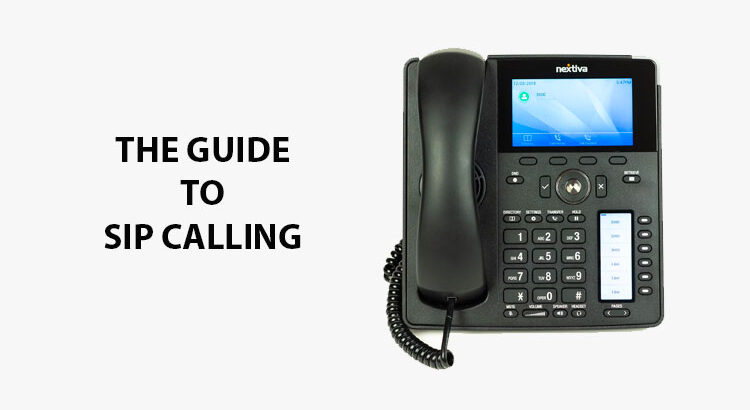
A SIP phone, also called an IP phone, is a type of phone that uses the internet to make and receive calls. SIP phones are designed to work with VoIP systems so you can communicate through voice, video, and even messaging on a single, internet-based network.
There are two main types of SIP phones:
- Hardware SIP phones: Hardware SIP phones, or hard phones, look and act pretty much like traditional desk phones. The difference is how they handle phone calls. Instead of connecting via a physical line, hard phones connect directly to your network via an Ethernet cable or Wi-Fi. They come equipped with built-in software that handles SIP registration and call management, giving you high-quality audio and advanced features like call transfer, conferencing, and voicemail.
- Software SIP phones: A software SIP phone, or softphone, is an application installed onto your computer, tablet, or smartphone. They use your device’s microphone and speakers or headset to make SIP calls through your internet connection. Softphones are popular for remote work because they let you take business calls from anywhere you have an internet connection.
SIP vs VoIP
While many people use the terms SIP and VoIP interchangeably, they’re not exactly the same thing. SIP is one of the key technologies that makes VoIP work while VoIP refers to the broader category of technology that enables voice communication over the internet. So how do SIP vs VoIP differ?
SIP is a specific protocol that many VoIP systems use to start, manage, and end communication sessions. It’s not just for voice. It also supports video calls and instant messaging. SIP is essentially the set of rules that help devices and networks communicate.
VoIP, on the other hand, is used to cover any kind of communication over the internet, not just SIP calling. It converts your voice into digital data and transmits it online so you can make calls using computers, mobile devices, or VoIP-enabled phones.
All SIP calls are VoIP calls, but not all VoIP calls use SIP. For example, VoIP services like Skype or WhatsApp might use a proprietary protocol while other providers use SIP.
How SIP Calls Work
SIP calls may sound technical, but the process is pretty straightforward once you understand the basics. To understand how it works, we first need to cover the core components of your business telephone system: PBX, PRI, and PSTN.
A Private Branch Exchange (PBX) is an on-site system that manages internal and external calls to your organization. The Primary Rate Interface (PRI) connects your PBX to the Public Switched Telephone Network, which handles routing and connecting calls to their final destination.
With SIP calling, however, you don’t need PRI lines. In a SIP-based system, your PBX connects to the internet using a SIP trunk, which is like a virtual phone line. The PBX still acts as the central hub, but when you dial an outside number, the PBX sends the call over the SIP connection to the recipient.
Here’s a step-by-step breakdown of what happens in a SIP call:
- When you make a call using a SIP phone, your device sends a SIP request to a SIP server. This request contains details such as your number (or SIP address), the recipient’s address, and the type of call you’re trying to make.
- The SIP server locates the recipient’s device and sends an invitation to connect. This can be to a number on the same SIP server or one routed over the PSTN. Once the other party accepts the call, the two phones determine which bandwidth and codecs to use to establish a session.
- After the session is established, your voice is converted into digital data using Real-time Transport Protocol (RTP). These data packers travel across the internet between both devices so you can have a conversation in real time.
- During the call, the devices continue to communicate to ensure call quality. For example, in the case of packet loss, the SIP phones may switch to a codec that requires lower bandwidth.
- When one party hangs up, SIP sends a termination signal to end the session and free up the network resources.
In short, SIP handles the signaling part of the call, including connecting and managing sessions, while other protocols like RTP handle your actual voice or video. Together, they allow for clear, reliable internet-based communication to both IP and analog phones alike.
The Pros and Cons of SIP Calling
Businesses small and large are switching to SIP calling because of the number of advantages. But like any communication technology, there are also some disadvantages too. Here’s a look at the pros and cons of SIP calling so you can decide whether it’s right for you.
Pros of SIP calling:
- Save money: SIP calling eliminates the need for traditional phone lines, which typically charge you by the minute. Instead, you get unlimited domestic calls and lower fees for long distance calls. Plus, you eliminate expensive maintenance. Overall, you can save quite a bit of money.
- Scalability: With SIP, adding new lines or users is simple. There’s no need to install extra hardware. Instead, all you need to do is configure additional accounts or devices. This makes it easy to change your setup as your communication needs grow and change.
- Unified communications: SIP supports more than just voice calls. With SIP, you can make video calls, send instant messages, and share files, all in one place.
- Mobility: Because SIP calls run over the internet, your employees can use their SIP credentials from anywhere, as long as they have a strong internet connection. This allows remote and hybrid teams to stay connected even when working from different locations.
- Advanced features: With SIP calling, advanced features like call forwarding, auto attendants, voicemail-to-email, and call recording are typically built-in or can be easily added.
Cons of SIP calling:
- Internet dependence: Since SIP runs entirely over the internet, it requires a strong internet connection. Poor network quality or limited bandwidth can cause dropped calls and lag. And if your internet is down, so are your phones.
- Security risks: As with any internet-based system, SIP calls can be vulnerable to system breaches. Using encryption and firewalls is essential to protect your network.
- Power outages: Traditional landlines usually still work during power failures, but SIP systems rely on both your network and your power supply. Backup internet and power solutions are recommended to ensure business continuity.
SIP Calling Conclusion: Finding the Right Provider
SIP calling has transformed the way businesses communicate, offering cost savings and flexibility that traditional phone systems can’t match. By using the internet to handle voice, video, and messaging, SIP allows you to utilize the communication infrastructure you already have while giving you the tools to stay connected from anywhere.
With questions about SIP calling vs VoIP and so many providers available, it can be overwhelming to find the right business phone system solution for your organization. That’s where OneStop Communications comes in. Our team can help you compare providers, evaluate features, and choose the best setup to optimize your setup while staying in your budget.
Whether you’re upgrading from a legacy system or starting fresh, we make it simple to transition to reliable SIP calling. Contact us today to see how we can help you communicate smarter!
