

- by Ted
For decades, the landline was essential for business phone systems, but it can’t keep up with modern business needs. If your phones still run over copper wires, it’s time to switch from landline to VoIP.
Traditional phone systems are expensive to maintain and increasingly limited in what they can do. VoIP, or Voice over Internet Protocol, lets you ditch the landline and make calls over the internet instead. It costs less than traditional service and provides advanced features like call forwarding, voicemail to email, virtual receptionists, along with flexibility to use your phone number just about anywhere.
The switch may seem daunting, but it’s surprisingly straightforward. In this guide, we’ll walk you through the step-by-step process of switching your business from traditional telephone to VoIP.
Key Takeaways
- The main requirement for VoIP is a reliable, high-speed internet connection. You also need a router that supports QoS settings.
- Setup is fast and scalable, especially if you plan the transition. You can start with a few users and add more instantly as your team grows. Expect the switch to take between 2 to 4 weeks.
- Test and optimize your setup before you launch your new phone system. You’ll catch issues before they become major problems.
- The steps for switching from landline to VoIP include: planning the switch, checking your internet connection, optimizing your network, choosing a provider, choosing your hardware, porting your number, setting up your phone system, testing and tweaking, and training your staff.
While we’re located in Atlanta, we offer VoIP providers for the entire US, including New York City and Chicago.
How to Switch to VoIP
If you’re still paying for a traditional landline, you’re probably wondering why. Landlines are reliable, but they’re expensive, limited, and becoming more and more obsolete. In fact, since 2022, the FCC no longer requires phone companies to maintain copper wires. Landlines are officially dying out, which means the time to switch to VoIP is now.
VoIP gives you the same reliability (often better) as traditional service plus lower costs, more features, and the flexibility to take your phone number anywhere. Switching takes some planning, but it’s easy with these 9 steps:
1. Plan the Switch
When switching from landline to VoIP, it’s important to take the time to plan out your transition before you make any moves. Begin by defining the features you want versus those you need and allocating a budget. This will help you when it’s time to find a provider.
It’s also a good idea to plan a realistic timeline for implementation. While switching from traditional telephone to VoIP isn’t as difficult as it used to be, you still need time to set up your infrastructure and train staff on the new system. Most businesses can make the switch happen within 2 to 4 weeks.
2. Check Your Internet Connection
Before you do anything else, you need to make sure your internet connection is fast and reliable. VoIP runs on your broadband. A slow or unstable connection will result in poor call quality and dropped calls. Most VoIP providers recommend a minimum of 100 kbps upload and download speed per simultaneous call. If your office has ten lines, you’ll want speeds of at least 1Mbps. For twenty lines you need at least 2Mbps. Fiberoptic internet offers the best connection, but if it’s not available in your area, DSL or business-class cable is fine.
Before you go live with your new phone system, conduct a speed test. Ping under 100 ms is ideal. Anything above 150 ms is going to cause major quality issues. If your internet is flaky, VoIP will not be a good experience. Upgrade your plan or fix your connection first.
3. Optimize Your Network
In addition to your internet connection, it’s also important to have the right router and network setup.
- Make sure your router can support QoS (Quality of Service) settings so you can prioritize voice traffic over streaming and file downloads.
- For the best quality, plug your VoIP phone directly into your network switch with Ethernet. WiFi works, but may introduce jitter and other sound quality issues.
- Remove extra routers or set one to bridge mode to avoid a double nat setup, which can cause issues for VoIP.
- If you work in a large office, consider using a VLAN configuration, which can lower network congestion.
- Disable SIP ALG on your router, as it is notorious for mangling VoIP packets and dropping calls.
4. Choose a Provider
One of the most important decisions when switching to VoIP is your provider. There are tons on the market, with options ranging from simple to fully packed with features. Just because a provider is popular, however, doesn’t mean it’s right for your organization.
Consider the features you need (such as auto-attendants, call recording, or voicemail-to-email), your budget, and whether or not you need to port an existing number. Reliability is another essential feature. The best providers offer an uptime SLA of 99.99% or higher.
5. Choose Your Hardware
With your provider chosen, it’s time to pick your hardware. VoIP supports both hard phones (think physical desk phones) and softphones (applications on a computer or mobile device). You can essentially choose one of three options:
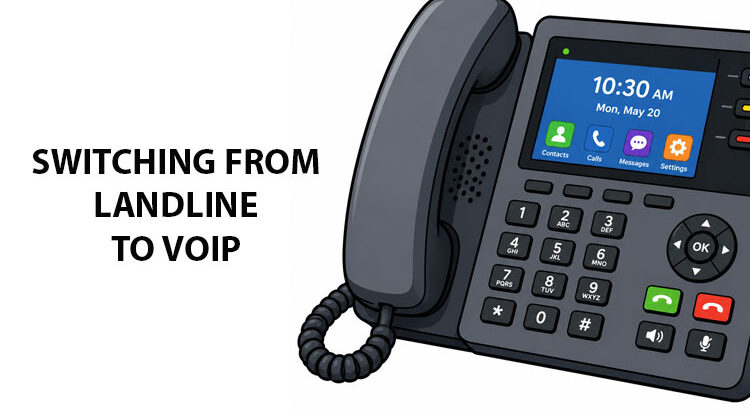
- Physical VoIP phones: Popular brands include Poly, Yealink, or Grandstream desk phone. They plug directly into your router and feel like a traditional phone.
- VoIP adapter: Connects your old phone to the internet. If you already have desk phones and don’t want to pay for more, this is a good choice.
- Softphone: A mobile or desktop app you can use without extra hardware. Softphones are best for remote workers.
6. Port Your Landline Number
Don’t just cancel your landline first. You’ll lose your number. Instead, ask your VoIP provider to port your number. They’ll ask for your current landline account number, billing address, and a recent bill. The porting process usually takes between 2 to 4 weeks, but can be faster. Only cancel your landline when you confirm the port is complete.
7. Set Up Your Phone System
Now it’s time to install your phone system. The size of your business will impact just how complicated or simple the setup is. For physical phones, plug the Ethernet cable into the phones and your router and turn it on. Many phones auto-provision, but you may need to enter some information manually.
If you’re using a VoIP adapter, connect your landline phone to the ATA’s phone port. Then, connect the Ethernet from the ATA to the router. For softphones, you can download the app and log in with account credentials.
8. Test and Tweak
Before completely switching from landline to VoIP, make sure you test the system is working as it should. Make test calls to look for echo, jitter, or choppy audio. Check that key features like call recording, IVR, or call queuing are working how they should.
Testing before you go live can help you catch issues and fix them before they cause downtime.
9. Train Your Staff
With everything in place, you can now train your staff on the new system. You may want to start with a small pilot group before rolling the system out to the whole team. The pilot group will find hiccups and confirm training materials are accurate.
Start with the basics of how to log in, answer calls, listen to voicemail, and how to transfer calls. Once they have the basics down, move on to the more advanced features. Give everyone a quick reference card with the most common actions and shortcuts. Put it near phones or pin it to your team’s Slack/Teams channel. Keep a backup channel open so staff can ask questions while they’re still learning.
Switching from Landline to VoIP with OneStop Communications
Making the switch from landline to VoIP is easier than you might think. With a strong internet connection and the right network configuration, you can access crystal clear voice quality and advanced features in no time.
Finding the right provider can be tricky. That’s where OneStop Communications comes in. After a short phone call discussing your needs, we’ll help you compare providers to find the right plan for your organization.
Ready to upgrade your phone system? Give us a call today to start planning your switch to VoIP!
FAQs
Still have questions about switching to VoIP? Here are some of the most frequently asked questions.
What equipment do you need to switch to VoIP?
One of the main advantages of switching from landline to VoIP is how little equipment you need: an internet connection, a router, and phones. If you prefer desk phones, you’ll want to acquire IP phones or VoIP adapters. However, many VoIP platforms enable phone calls from a desktop, laptop, smartphone, or tablet.
Can I use a landline phone with a VoIP adapter?
Yes, you can use a VoIP adapter on your landline phone as long as you have internet access. You’ll also need to sign up for service with a VoIP provider. Whether you’re a small business or big enterprise, there are tons of providers to choose from that will fit your budget and offer the features you need.
Can I receive texts with a VoIP Phone?
It depends on the VoIP provider, but texting is a feature available in many VoIP plans. Some providers limit the number of texts each user can send and receive, while others offer unlimited domestic texting.
How do you switch to a VoIP phone?
Switching to a VoIP phone is simple. First, you’ll want to find a provider. Once service is set up, you can connect your phone to the VoIP adapter and start making and receiving calls over the internet.
How do you get a VoIP phone number?
When you sign up for VoIP service, most providers give you the option to port your current number or opt for a new VoIP phone number. One of the advantages of VoIP is that you can acquire numbers in locations across the country without a physical branch. Some providers also offer international phone numbers so you can better serve clients around the world.
How do you set up a VoIP phone?
To set up your VoIP phone, plug it into your router via an Ethernet cable. Some devices are Power over Ethernet (POE) enabled, while others will require an AC adapter to power the phone. If you purchased your phone from your VoIP provider, it should auto-provision on its own. If not, you’ll need to enter the SIP server address, username, and password provided by your service.
